

Mastering 360° Video Production: A Comprehensive Guide
Imagine standing at the edge of a breathtaking canyon, every direction around you offering a unique and stunning perspective. With traditional videography, capturing this scene would confine your audience to a single viewpoint, limiting their experience. However, 360° video production transforms this scenario by enveloping viewers in a fully immersive environment, allowing them to explore every angle as if they were truly present. As the demand for immersive content surges across various industries—from entertainment and education to real estate and virtual tourism—grasping the fundamentals of 360° videography becomes crucial for creators aiming to leverage its full potential. This guide navigates through the essential aspects of 360° video production, including equipment selection, setup intricacies, and foundational shooting techniques, setting you on the path to crafting captivating and immersive content.
Understanding 360° Videography Basics
The Evolution of 360° Video
Picture yourself watching a traditional film in a cinema: your viewpoint is fixed, and your journey is directed by the filmmaker. Now, envision stepping into a world where you control where you look, turning your head to follow the action from any angle. This shift from passive viewing to active exploration marks the evolution of 360° video. Originating from panoramic photography and virtual reality (VR) experiments in the early 2010s, 360° videography has rapidly advanced, driven by technological innovations and the growing appetite for immersive experiences. The proliferation of affordable 360° cameras and platforms like YouTube and Facebook embracing 360° content have democratized access, allowing creators and audiences alike to explore new dimensions of storytelling and engagement.
How 360° Video Differs from Traditional Videography
Imagine trying to capture a bustling city street with a standard camera lens; you're confined to framing a specific area, potentially missing the dynamic interactions happening just outside the frame. In contrast, 360° video acts like an all-encompassing eye, recording in every direction simultaneously. This fundamental difference necessitates a distinct approach to storytelling and technical execution. Traditional videography relies heavily on composition, camera angles, and movement to guide the viewer's attention. Conversely, 360° videography demands a holistic perspective, where every element within the environment contributes to the narrative, and viewers navigate the scene at their own pace. This paradigm shift challenges creators to think beyond linear storytelling, fostering a more interactive and engaging experience.
Key Concepts and Terminology
Embarking on 360° video production introduces a new lexicon of terms that are pivotal to mastering the craft. Consider field of view (FOV), which in traditional videography refers to the extent of the observable scene captured by the camera. In 360° videography, FOV encompasses a full sphere around the camera, necessitating specialized lenses and stitching techniques to ensure seamless coverage. Another crucial concept is stitching, the process of merging multiple camera feeds into a single, cohesive spherical video. This requires meticulous alignment and synchronization to eliminate visible seams and maintain continuity. Understanding these and other terms—such as yaw, pitch, and roll (the axes of rotation in 3D space)—is essential for navigating the technical landscape of 360° video production and achieving professional-quality results.
Essential Equipment for 360° Video Production
360° Cameras: Types and Features
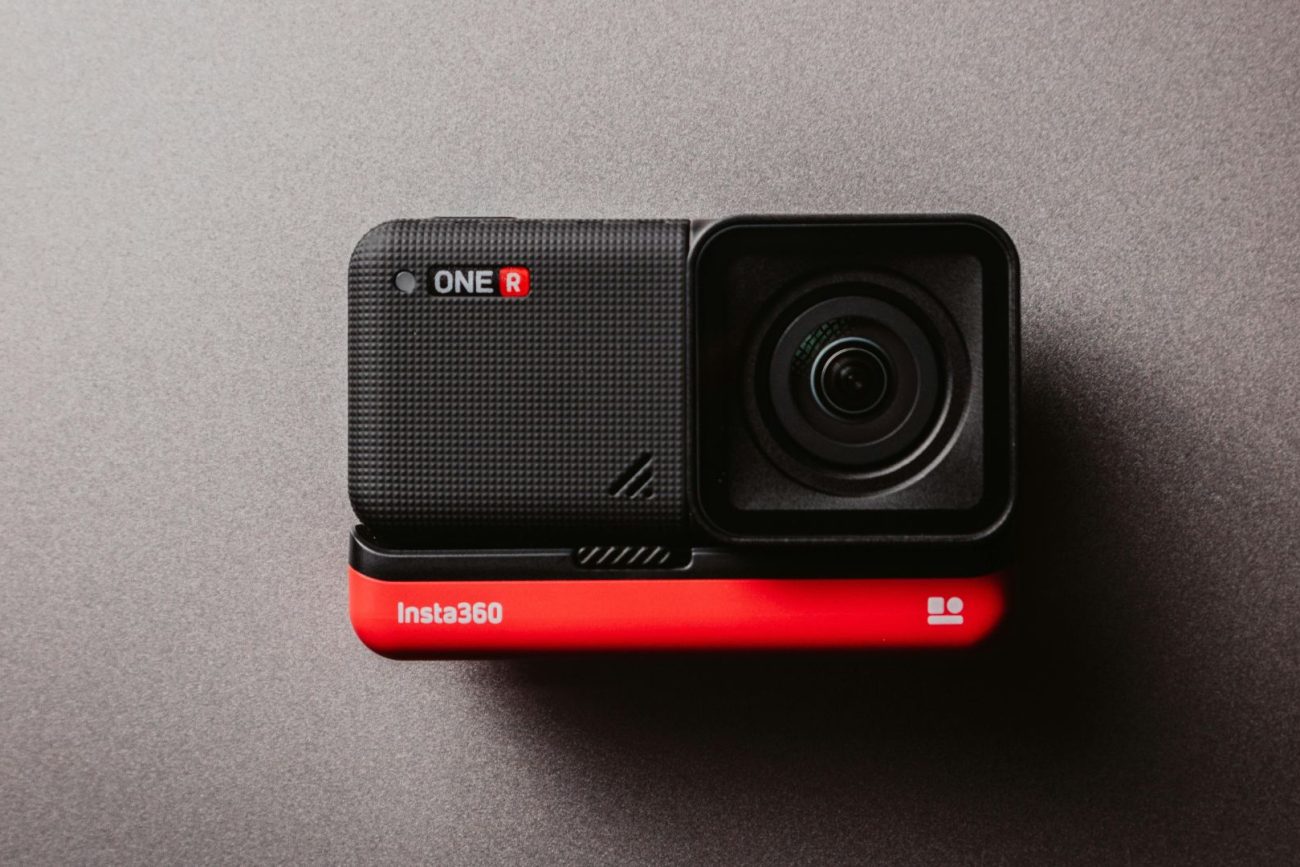
Imagine selecting the perfect lens for a masterpiece painting; similarly, choosing the right 360° camera is foundational to your videography endeavors. 360° cameras come in various forms, each tailored to different levels of expertise and production needs. Consumer-grade cameras, like the Ricoh Theta series, offer affordability and ease of use, making them ideal for beginners exploring immersive storytelling. On the other end of the spectrum, professional-grade cameras, such as the Insta360 Pro 2 or the GoPro MAX, provide advanced features like higher resolution, better low-light performance, and modular accessories for enhanced flexibility. Key features to consider include resolution, which impacts the clarity of the final video; field of view, determining how much of the environment is captured; and stitching quality, crucial for seamless panoramic imagery. Selecting the appropriate camera ensures that your equipment aligns with your creative vision and technical requirements.
Audio Equipment for Immersive Sound
Envision watching a 360° video where not only the visuals but also the spatial audio transports you into the scene. Unlike traditional audio setups that capture sound from a fixed perspective, immersive audio in 360° videography records sound from multiple directions, enhancing the sense of presence and realism. Ambisonic microphones are the cornerstone of this audio revolution, capturing sound in all directions and allowing for dynamic audio manipulation during post-production. Integrating high-quality audio equipment ensures that your 360° video not only captivates visually but also envelops the audience in a rich auditory landscape. Additionally, considering wind protection and noise reduction accessories can significantly improve audio clarity, especially in outdoor or high-noise environments, ensuring that the soundscape complements the visual immersion seamlessly.
Stabilization and Support Gear
Imagine capturing a serene panoramic view while the camera remains rock steady, allowing viewers to fully immerse themselves without the distraction of unwanted motion. Stabilization and support gear play a pivotal role in achieving smooth and professional-looking 360° videos. Gimbals, such as the DJI Ronin, provide motorized stabilization, compensating for unwanted movements and ensuring fluid motion during dynamic shoots. Tripods and mounts offer foundational support, allowing for steady shots and precise camera positioning. For more advanced setups, drones equipped with 360° cameras enable aerial perspectives, adding a new dimension to your immersive storytelling. Investing in reliable stabilization equipment not only enhances the visual quality of your videos but also reduces post-production challenges, streamlining the workflow from shoot to final product.
Essential Equipment For 360 Video Production
Setting Up Your 360° Video Shoot
Choosing the Right Location
Imagine crafting a 360° video that transports viewers to an exotic beach at sunset, where every angle reveals a new facet of the picturesque landscape. Selecting the right location is paramount in 360° videography, as it directly influences the immersive quality of the final product. Factors to consider include lighting conditions, ambient noise, and spatial dynamics. A location with ample natural light can enhance visual clarity and color vibrancy, while controlled lighting setups can help highlight specific elements within the scene. Additionally, assessing background activity and crowd presence ensures that unwanted distractions are minimized, allowing viewers to focus on the intended narrative. Conducting a thorough site survey beforehand can help anticipate challenges and optimize the setup for a seamless and captivating 360° video experience.
Camera Placement and Orientation
Imagine arranging a stage where every prop and performer must be strategically positioned to create a harmonious and engaging performance from all angles. Similarly, camera placement and orientation in 360° videography require meticulous planning to ensure comprehensive coverage and balanced visuals. Positioning the camera at an optimal height and central point within the scene helps capture the full scope of the environment, allowing for an unobstructed panoramic view. Additionally, ensuring that the camera remains level and stable is crucial for maintaining horizon lines and preventing visual distortions during stitching. Experimenting with different angles and heights during setup can help identify the most aesthetically pleasing and immersive perspectives, ultimately enhancing the viewer's experience and engagement with the content.
Lighting Considerations for 360° Video
Imagine directing a play where lighting must illuminate the entire stage uniformly, ensuring that every corner is visible and contributes to the storytelling. In 360° videography, lighting considerations are similarly comprehensive, requiring uniform illumination to avoid shadows and hotspots that can disrupt the immersive experience. Utilizing diffused lighting sources helps achieve even light distribution, minimizing harsh contrasts and ensuring that details are visible from all angles. Additionally, being mindful of natural light variations and incorporating reflectors or additional light sources can help maintain consistency throughout the shoot. Proper lighting not only enhances the visual quality of the 360° video but also contributes to the overall mood and atmosphere, reinforcing the narrative and engaging the audience more deeply.
Mastering Basic Shooting Techniques
Panoramic Framing and Composition
Envision composing a landscape painting where every element must be thoughtfully placed to create a balanced and harmonious scene. In 360° videography, panoramic framing and composition require a holistic approach, as the entire environment is captured simultaneously. Unlike traditional videography, where the focus is on a specific subject or action, 360° videography necessitates attention to all directions, ensuring that each segment contributes to the overall narrative without causing visual clutter. Employing techniques such as the rule of thirds can help guide the placement of key elements within the spherical frame, creating focal points that naturally draw the viewer's attention. Additionally, being mindful of symmetry, leading lines, and color balance enhances the aesthetic appeal and coherence of the immersive scene, making the viewing experience more engaging and enjoyable.
Motion Techniques in 360° Video
Imagine choreographing a dance where every movement is synchronized to create a fluid and captivating performance from every angle. Similarly, motion techniques in 360° videography involve careful planning and execution to ensure smooth and intentional camera movements that enhance the immersive experience. Panning, tilting, and orbiting are fundamental motion techniques that, when applied thoughtfully, guide the viewer's gaze and highlight specific areas of interest within the scene. For instance, a slow pan can reveal a panoramic vista, while a deliberate tilt can emphasize vertical elements like towering trees or buildings. Incorporating dynamic movements adds depth and dimension to the video, preventing static shots from becoming monotonous and maintaining the viewer's engagement throughout the experience.
Managing Viewer Interaction and Navigation
Imagine hosting an interactive exhibit where visitors can explore exhibits at their own pace and focus on areas that interest them the most. In 360° videography, managing viewer interaction and navigation is essential to creating an engaging and user-friendly experience. This involves considering how viewers will navigate the spherical environment, ensuring that key elements are strategically placed to capture attention without overwhelming the viewer. Utilizing interactive hotspots or guided tours can help direct the viewer's focus and enhance their understanding of the narrative. Additionally, providing seamless transitions between scenes and ensuring intuitive navigation controls contribute to a smooth and immersive experience, allowing viewers to explore the content effortlessly and stay engaged with the story being told.
Mastering Basic Shooting Techniques
Post-Production and Editing in 360° Videography
Stitching and Seamless Integration
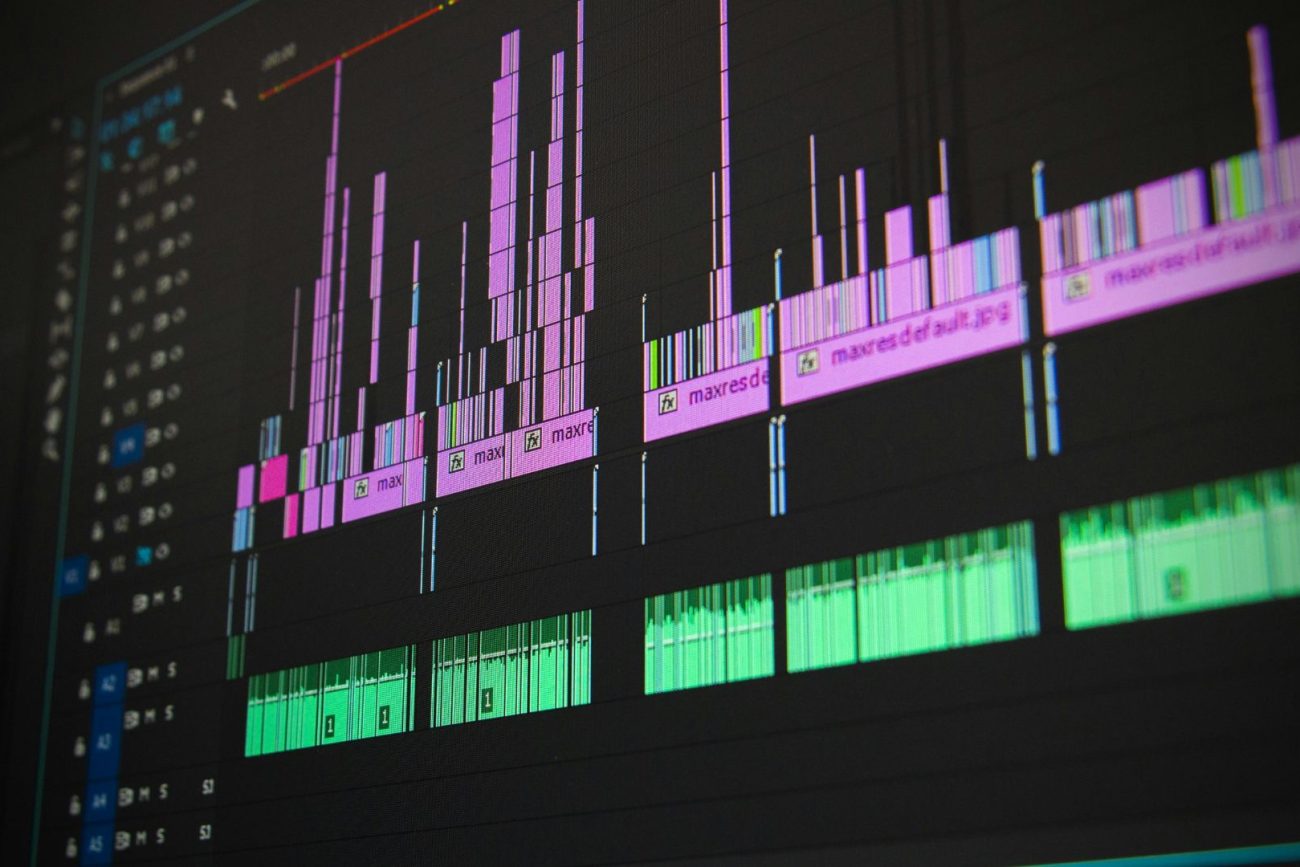
Imagine assembling a complex puzzle where each piece must fit perfectly to reveal the complete picture. In 360° videography, stitching is the process of merging multiple camera feeds into a single, seamless spherical video, akin to piecing together a panoramic puzzle. Advanced stitching software like Adobe Premiere Pro or Insta360 Studio facilitates this process, aligning and blending the overlapping areas of each camera's footage to eliminate visible seams and ensure continuity. Attention to detail during stitching is crucial, as even minor misalignments can disrupt the immersive experience and detract from the overall quality of the video. Employing high-quality cameras with precise synchronization capabilities and utilizing meticulous stitching techniques result in a cohesive and visually stunning 360° video that captivates and engages the audience.
Color Grading and Visual Enhancement
Imagine painting with a palette of colors to evoke specific emotions and highlight key elements within a scene. In post-production, color grading plays a similar role in enhancing the visual appeal and storytelling of a 360° video. Adjusting color balance, contrast, and saturation helps create a consistent and harmonious look across all segments of the spherical video, ensuring that no single area stands out unnaturally. Additionally, visual enhancements such as vignette effects or depth of field adjustments can add depth and dimension, guiding the viewer's focus to specific areas of interest. Proper color grading not only improves the aesthetic quality of the video but also reinforces the mood and atmosphere, making the immersive experience more engaging and emotionally resonant for the audience.
Integrating Audio for Immersive Experiences
Imagine layering different musical instruments to create a rich and dynamic symphony that envelops the listener. In 360° videography, integrating spatial audio is essential for creating an immersive and realistic experience that complements the visual elements. Ambisonic audio captures sound from all directions, allowing for precise placement and movement of audio elements within the spherical environment. During post-production, audio editing software like Adobe Audition or Reaper enables the fine-tuning of sound levels, the addition of ambient sounds, and the synchronization of audio with visual cues. Properly integrated spatial audio enhances the sense of presence, making viewers feel as though they are truly part of the scene, and significantly elevates the overall quality and impact of the 360° video.
Post Production And Editing In 360 Videography
Frequently Asked Questions
What equipment is essential for starting 360° video production?
Starting 360° video production requires a 360° camera, appropriate audio equipment like ambisonic microphones, and stabilization gear such as gimbals or tripods. Additionally, investing in lenses suited for panoramic capture, lighting equipment to ensure even illumination, and editing software capable of handling spherical video stitching and post-production enhancements are crucial for producing high-quality immersive content.
How do I ensure seamless stitching in my 360° videos?
To achieve seamless stitching in 360° videos, it's essential to use cameras with overlapping fields of view and precise synchronization capabilities. Employing high-quality stitching software and carefully aligning each camera's footage during post-production can eliminate visible seams. Additionally, maintaining consistent lighting and avoiding rapid movements during shooting helps minimize stitching errors and ensures a smooth, cohesive panoramic video.
What are the best practices for audio recording in 360° videography?
Best practices for audio recording in 360° videography include using ambisonic microphones to capture sound from all directions, ensuring that audio levels are balanced and free from distortions, and minimizing background noise through the use of wind protection and noise reduction techniques. Additionally, positioning audio equipment strategically within the scene and integrating spatial audio during post-production enhances the immersive experience, making the audio complement the visual elements effectively.
How can I improve viewer engagement in my 360° videos?
Improving viewer engagement in 360° videos involves incorporating interactive elements like hotspots and guided tours, ensuring smooth and intuitive navigation controls, and creating compelling narratives that encourage exploration. Additionally, paying attention to visual and audio quality, utilizing dynamic motion techniques, and strategically placing points of interest within the scene can captivate viewers, encouraging them to actively engage with and explore the immersive content.
What software tools are recommended for editing 360° videos?
Recommended software tools for editing 360° videos include Adobe Premiere Pro and After Effects for comprehensive video editing and stitching, Insta360 Studio for camera-specific post-production, and Final Cut Pro for Mac users seeking advanced editing capabilities. For audio editing, tools like Adobe Audition or Reaper are ideal for integrating and fine-tuning spatial audio. These software solutions provide the necessary features to handle the unique challenges of 360° videography, enabling creators to produce professional and immersive content.
Your premier destination for new 360 releases and comprehensive coverage across the worlds of videography and photography. We bring you the latest industry news, technical insights, and creative breakthroughs.